6v6 Cricket PNG Guide
Everything you need to follow and enjoy 6v6 Cricket in Papua New Guinea.
Contents
1. The Rules
The full 6v6 criiio cricket rules — including court setup, scoring instructions, and a scoresheet — are available to download below.
6v6 Cricket Rules
Official criiio 6v6 cricket rules, scoring guide and court setup (PDF)2. About 6v6 Cricket PNG
6v6 Cricket PNG is organised by Cricket PNG and brings fast-paced, accessible cricket to communities across Papua New Guinea. Based on the criiio 6v6 format, it is designed to be played by anyone — regardless of experience — in a competitive and enjoyable environment.
The competition features teams from across PNG competing across multiple seasons throughout the year.
3. Home Page
The home page gives you an at-a-glance summary of what is happening across the competition:
- Recent Results — the five most recently completed matches, showing scores and winner.
- Competitions — up to five active or upcoming competitions with their current status.
- Quick stats — total matches played, teams registered, and active competitions.
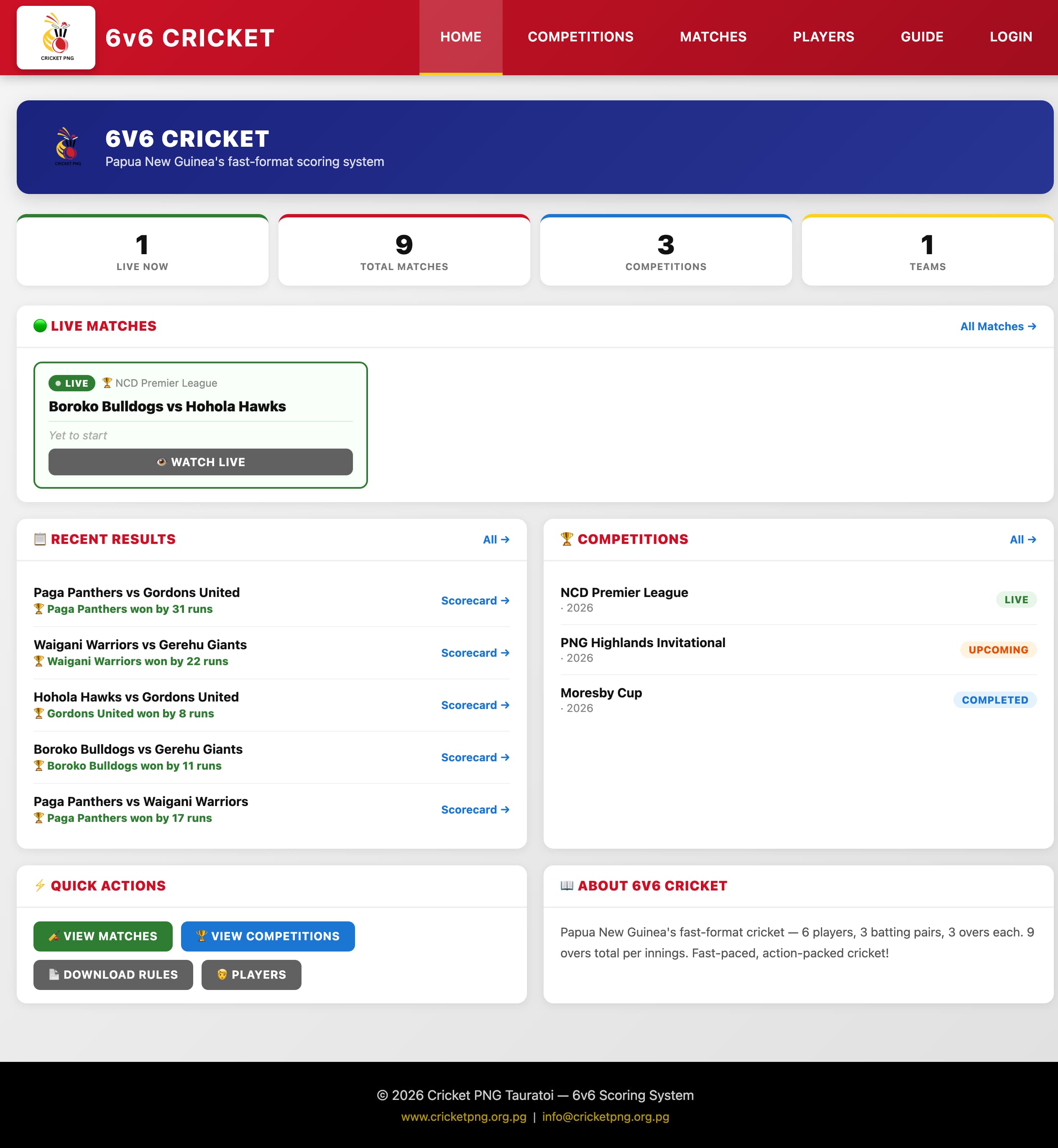
The home page with recent match results and active competitions.
4. Competitions
Matches are grouped into competitions. You can view all active and past competitions from the Competitions page.
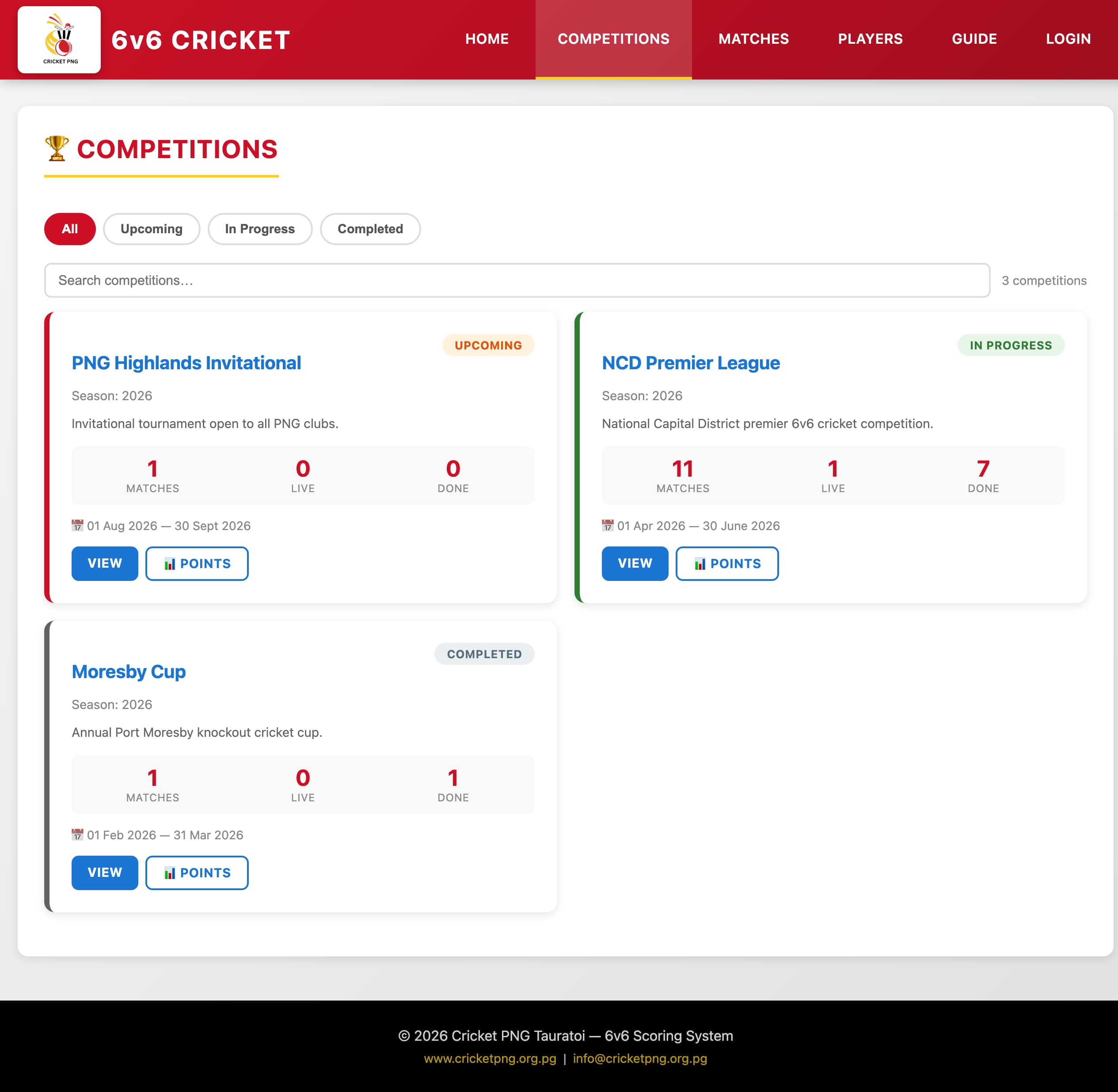
The Competitions page listing active and past competitions with their status.
Click on a competition to see:
- Matches — all matches in this competition with results.
- Points Table — current standings showing wins, losses and points.
- Player Statistics — top run scorers, wicket takers and other stats across all competition matches.
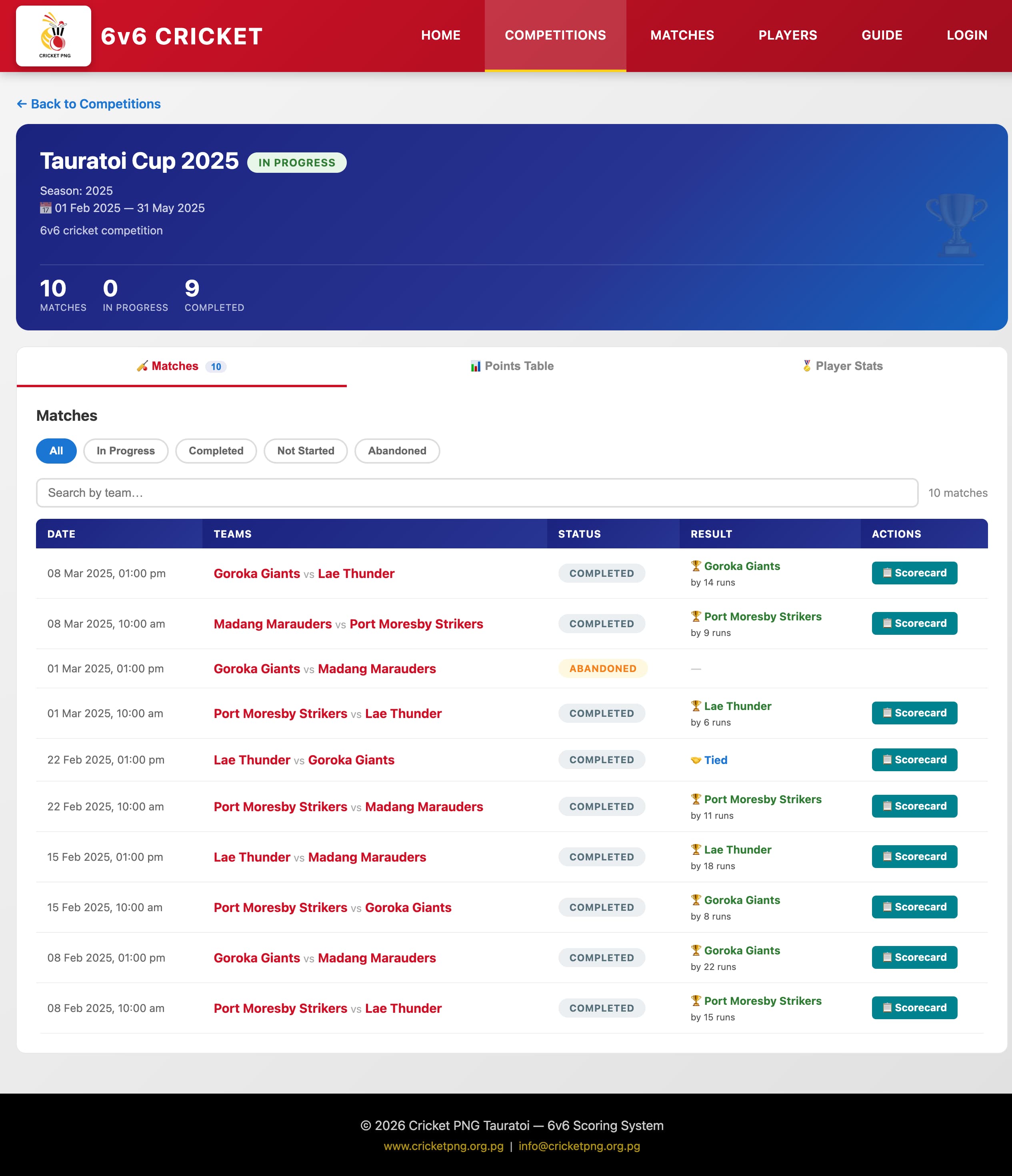
Competition detail — matches and results.
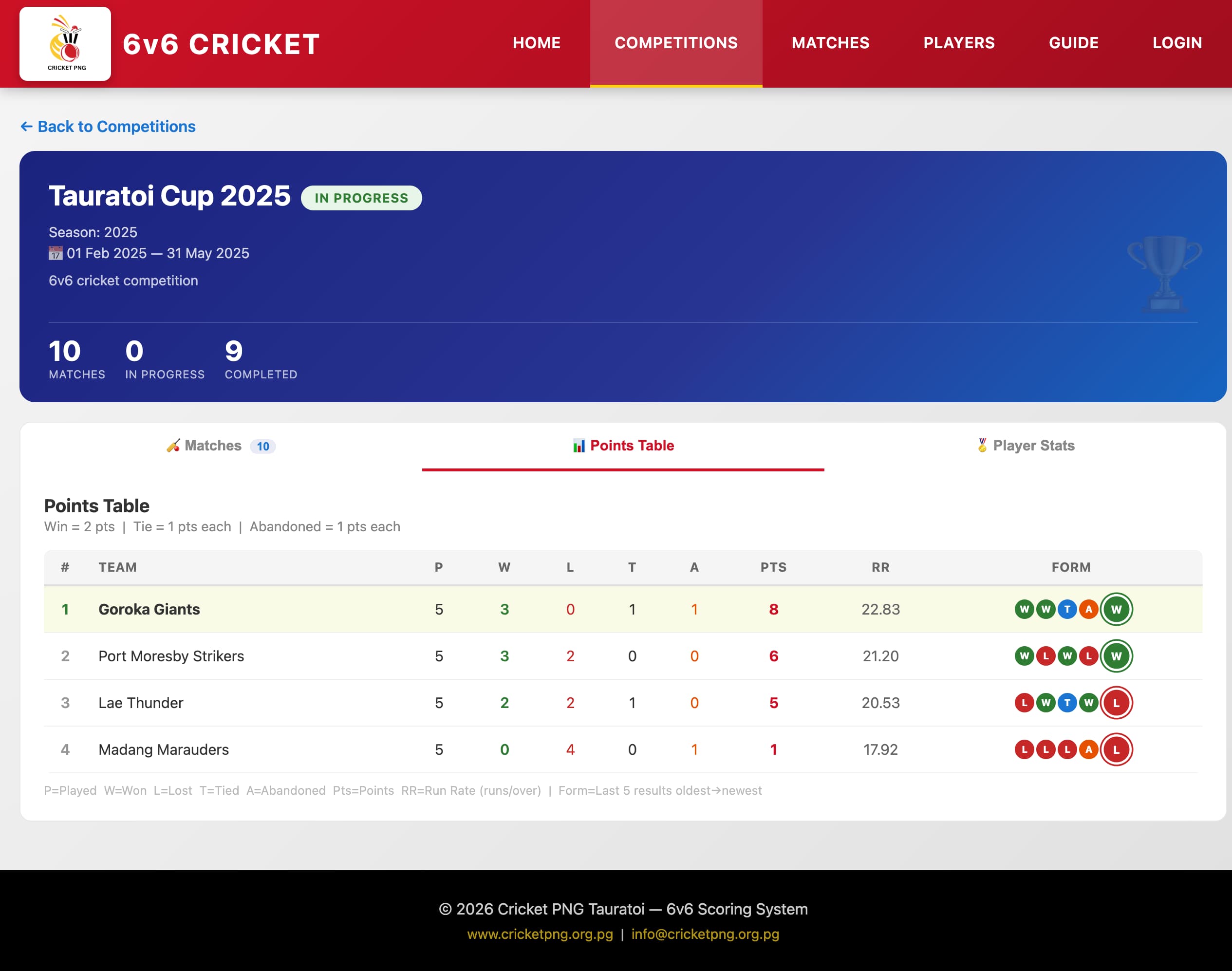
Competition standings showing team points and ranking.
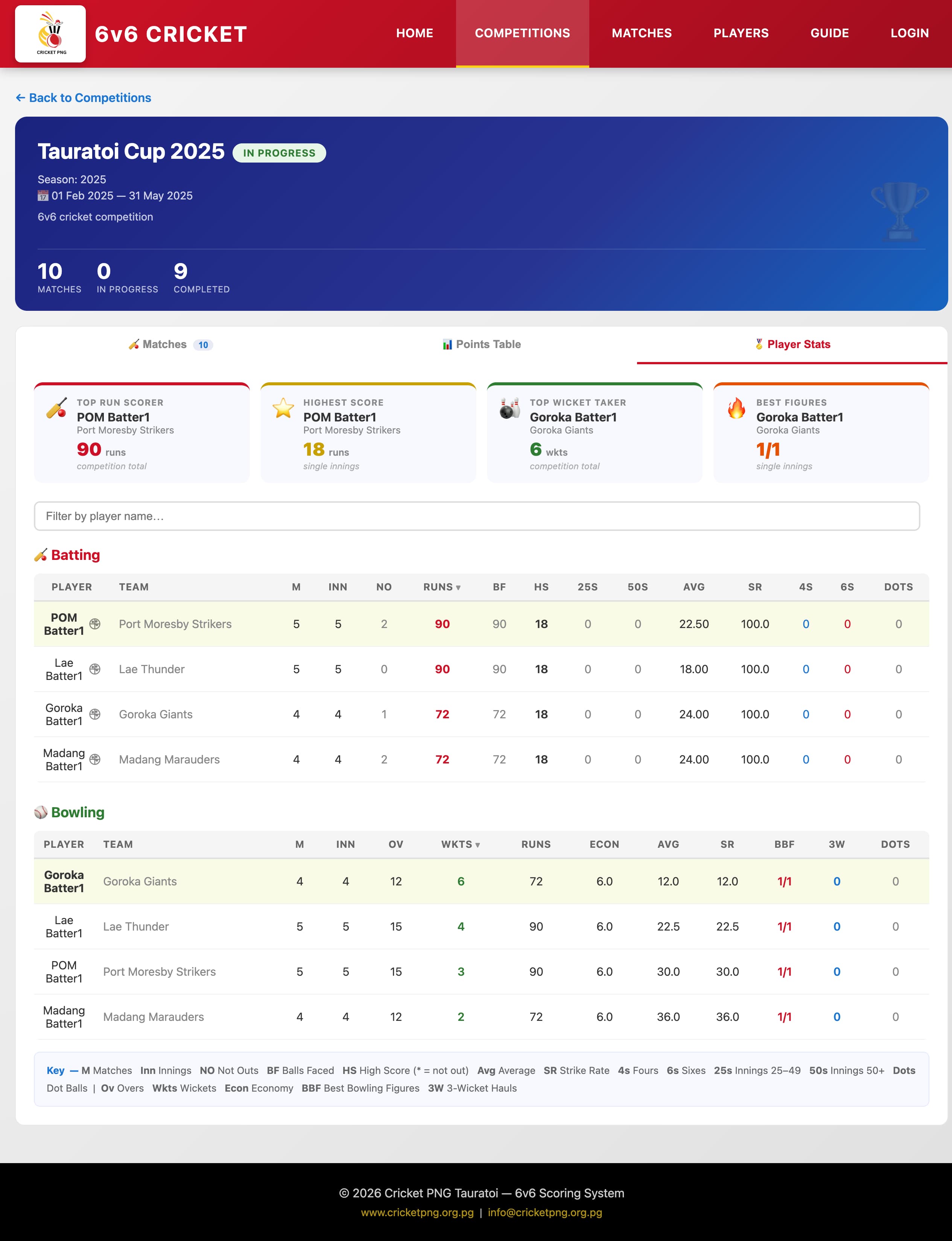
Competition player statistics — top batters and bowlers.
5. Following Matches
You can follow all matches from the Matches page. Matches are listed with their current status:
- In Progress — match is currently being scored live.
- Completed — match has finished. Click to view the full scorecard.
- Abandoned — match was called off before completion.
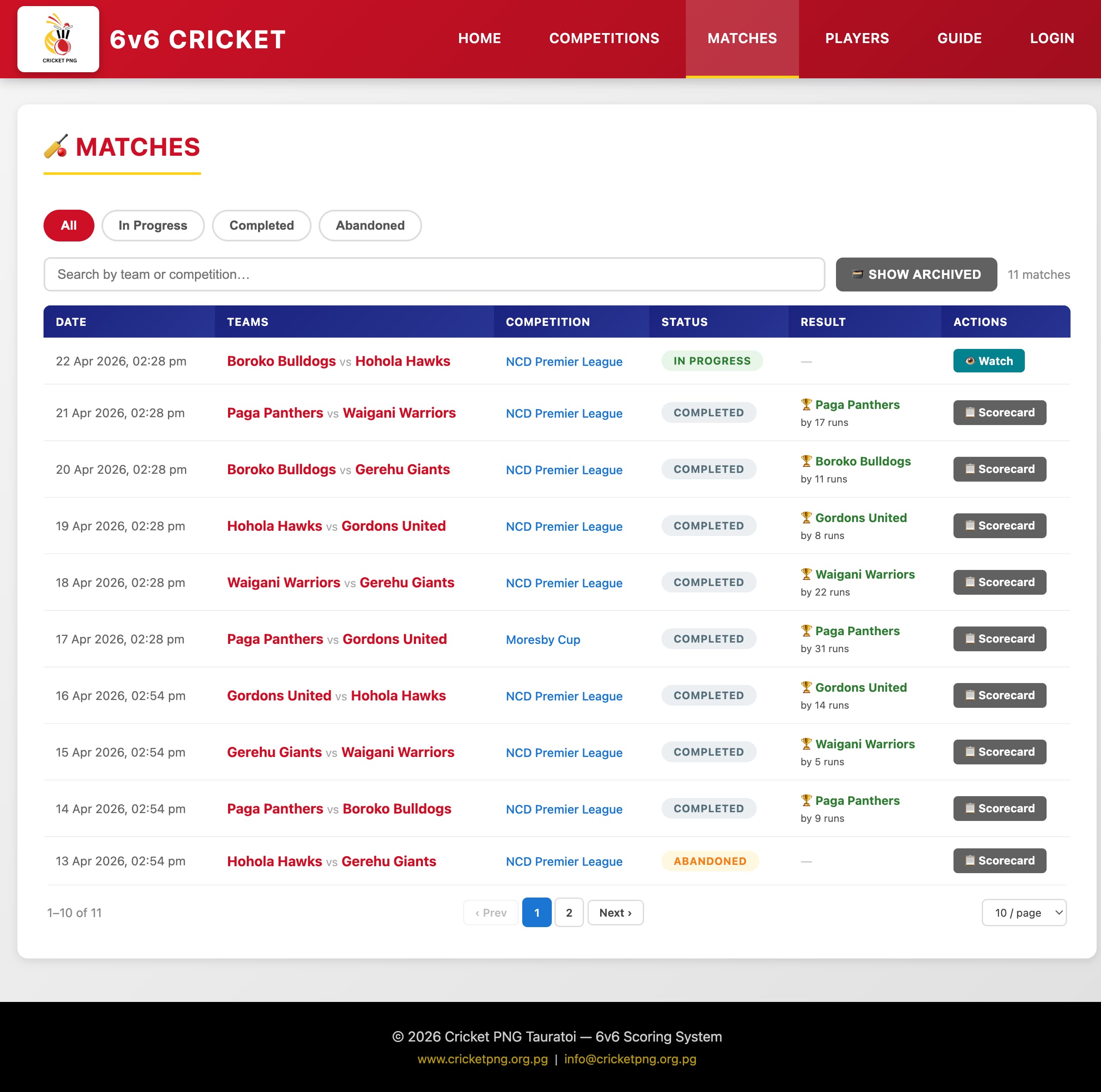
The Matches page listing live and completed matches.
You can filter the match list by status or search by team name to quickly find the matches you are interested in.
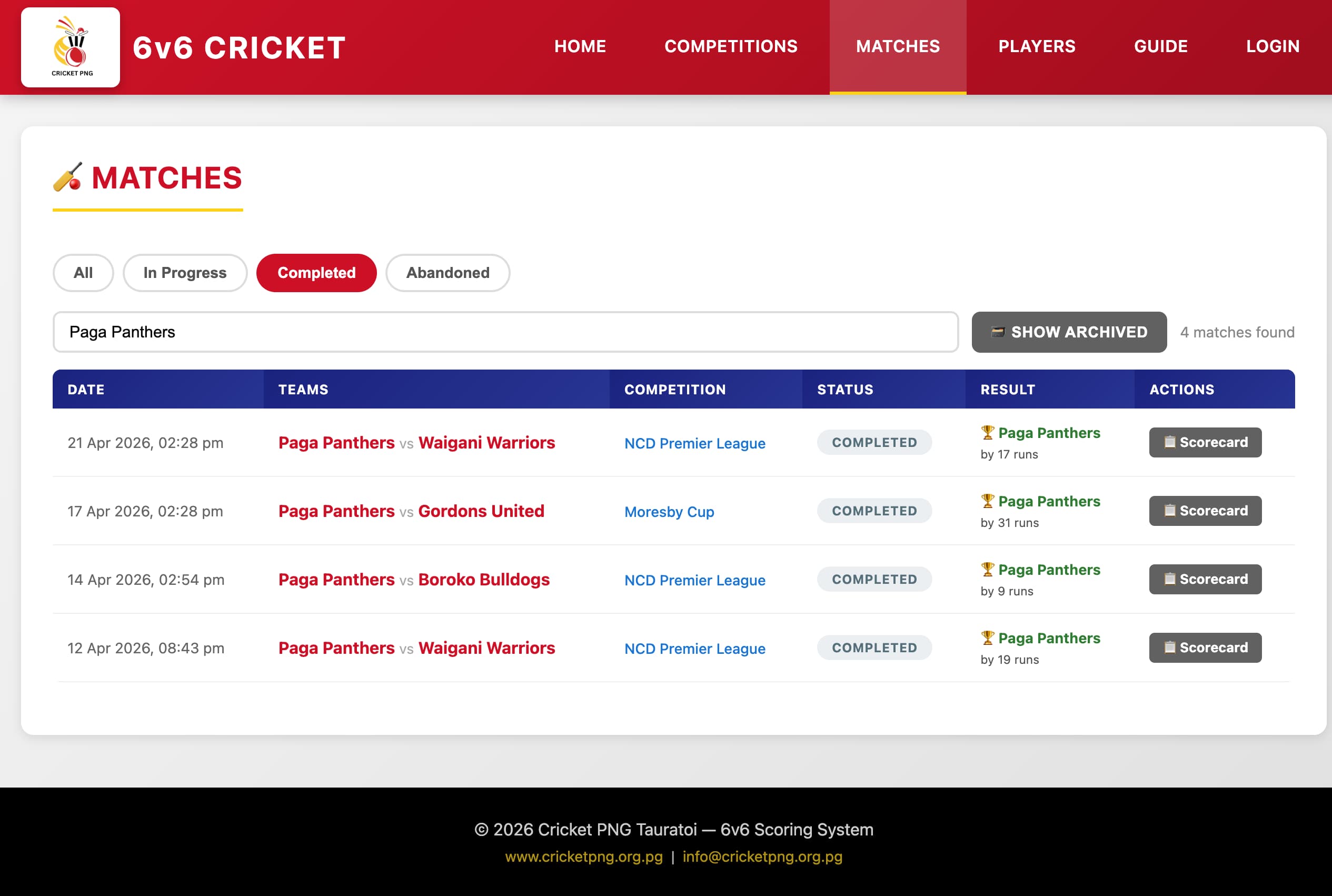
Filtering matches by status or searching by team name.
Click on any completed match to open its full scorecard showing ball-by-ball detail, batting pair scores, bowling figures, and the final result.
6. Understanding the Scorecard
6v6 cricket uses batting pairs. Each team of six players is split into three pairs, and each pair bats for three overs (18 balls). Here is what you will see on the scorecard:
- Batting Pair — two batters who bat together for their three overs.
- Runs — scored by completing a run between the wickets.
- Boundaries — Side wall +1, Back along the ground +4, Back on the full +6.
- Wickets (W) — a dismissal. Each wicket awards 5 bonus runs to the fielding team.
- Dot balls — three consecutive dot balls counts as a dismissal.
- No balls — count as 2 runs to the batting team. Not re-bowled except in the final over of each pair.
- Bonus runs — each wicket taken earns 5 bonus runs for the fielding team.
- Grand Total — team runs plus bonus runs earned from opposition wickets.
The team with the highest Grand Total after both innings wins the match. The winning margin is shown in runs.
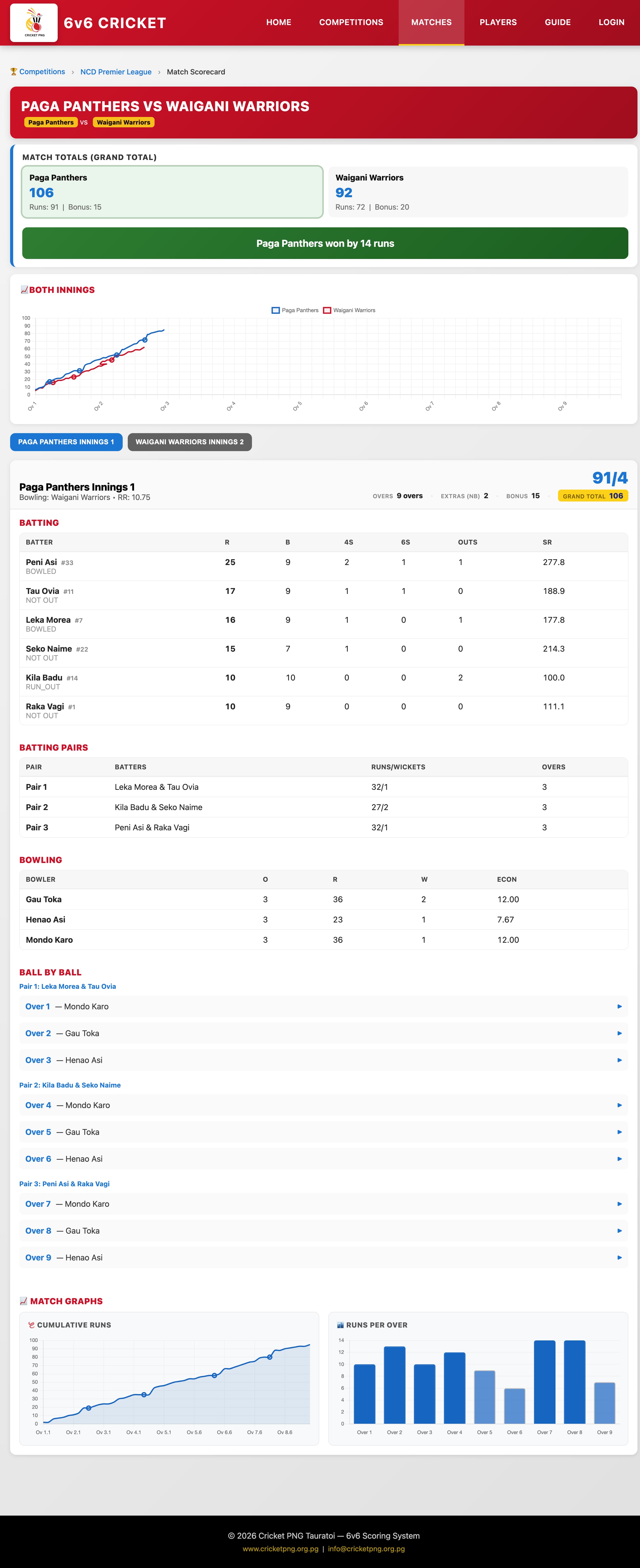
A completed match scorecard showing both innings, batting pairs, and the final result.
How to read the ball-by-ball view
Each ball in an over is shown as a coloured circle or label:
- · (dot) — no runs scored.
- 1, 2, 3 — runs completed.
- 4 — boundary along the ground.
- 6 — boundary on the full.
- S+N — side wall boundary (N = runs crossed by the batters).
- W — wicket (shows dismissal type: B=Bowled, C=Caught, RO=Run Out, St=Stumped, HW=Hit Wicket).
- NB — no ball (shown in orange).
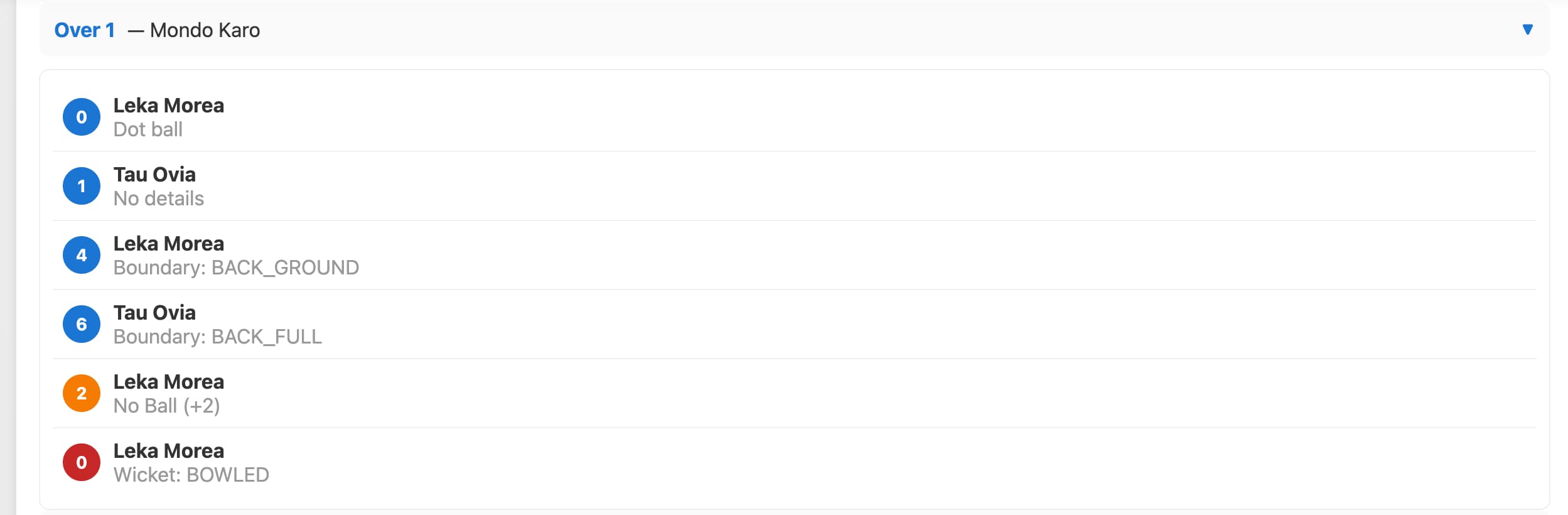
Ball-by-ball detail for an over showing runs, boundaries, wickets and no balls.
7. Player Directory
The Player Directory lists all registered players in the system. It is publicly accessible — no login required.
- Search — type a player's name to filter the list instantly.
- Filter by team — select a team from the dropdown to see only that team's players.
- Pagination — use the numbered page buttons to browse through all players.
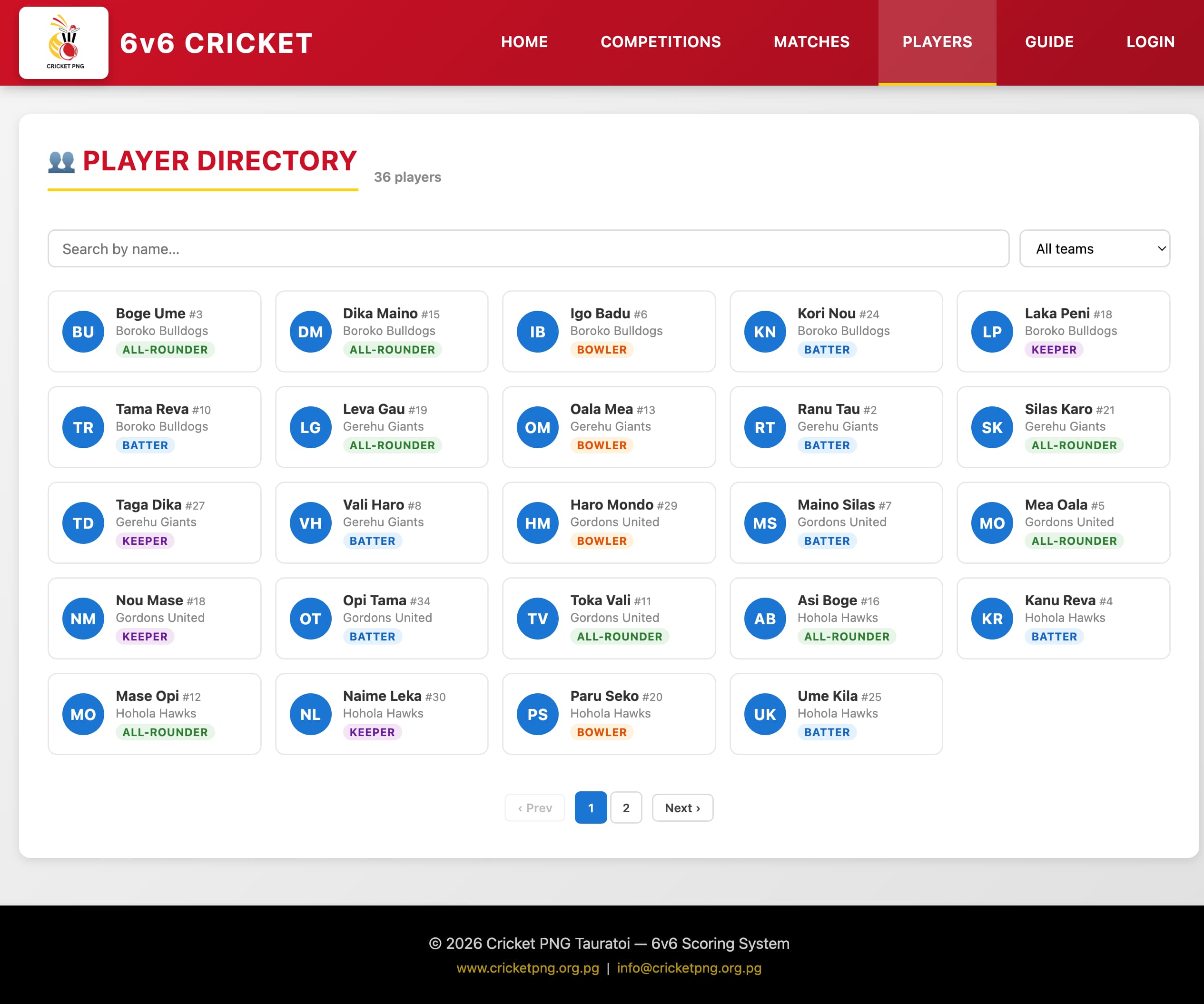
The Player Directory — search and filter to find any registered player.
Click on any player's name to open their player profile.
8. Player Profiles
Every registered player has a public profile page showing their career statistics across all matches recorded in the system. You can reach a player profile by:
- Clicking a player's name in the Player Directory.
- Clicking a player's name on a scorecard.
- Clicking a player's name in the competition player statistics.
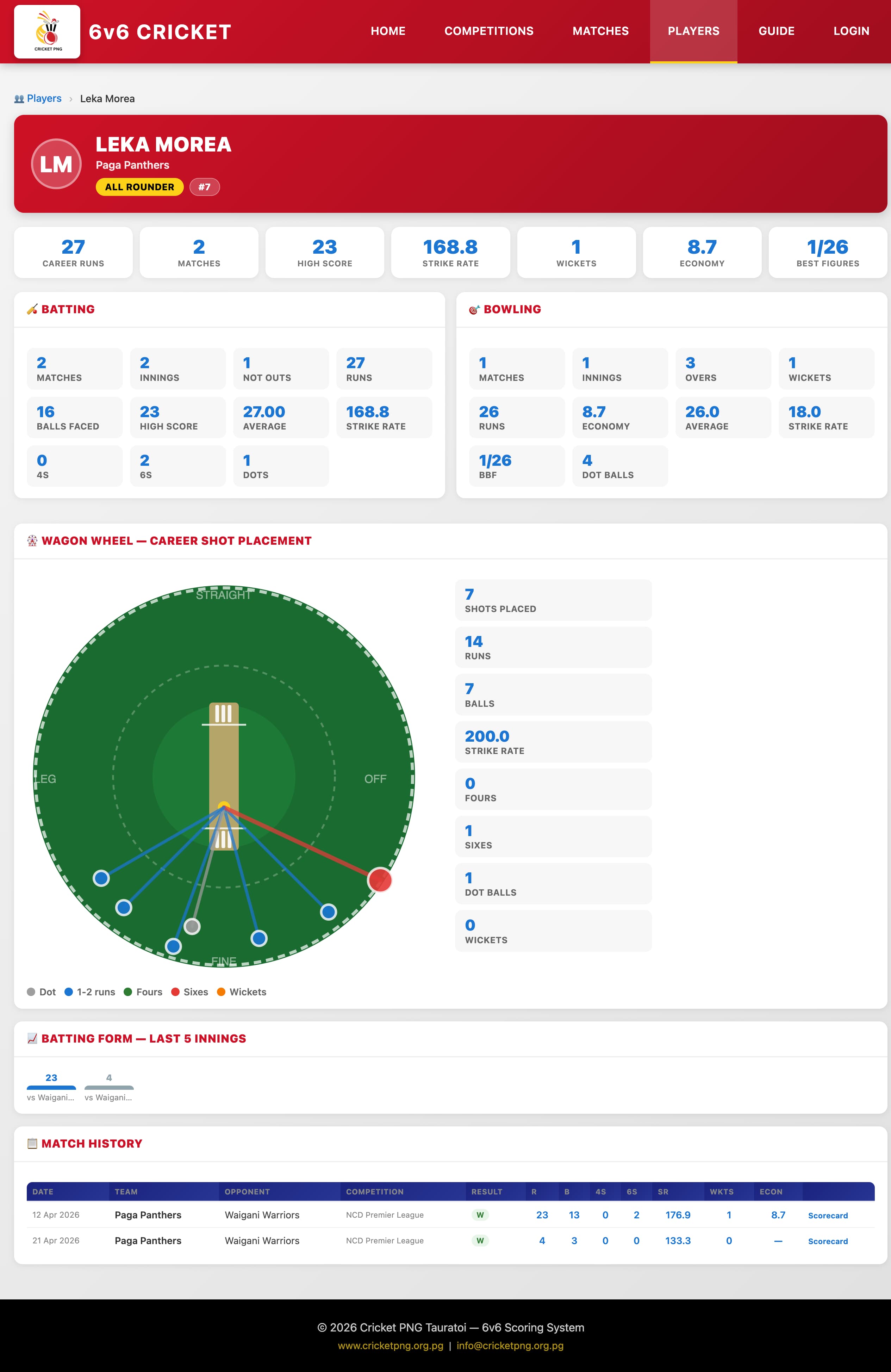
A player profile showing career batting and bowling statistics.
The profile includes:
- Current team and player role.
- Batting stats — total runs, boundaries, batting average, best score.
- Bowling stats — wickets taken, overs bowled, economy rate.
- Match history — list of matches the player has appeared in.
9. Get Involved
For more information about Cricket PNG and how to get involved, please visit our Contact Us page